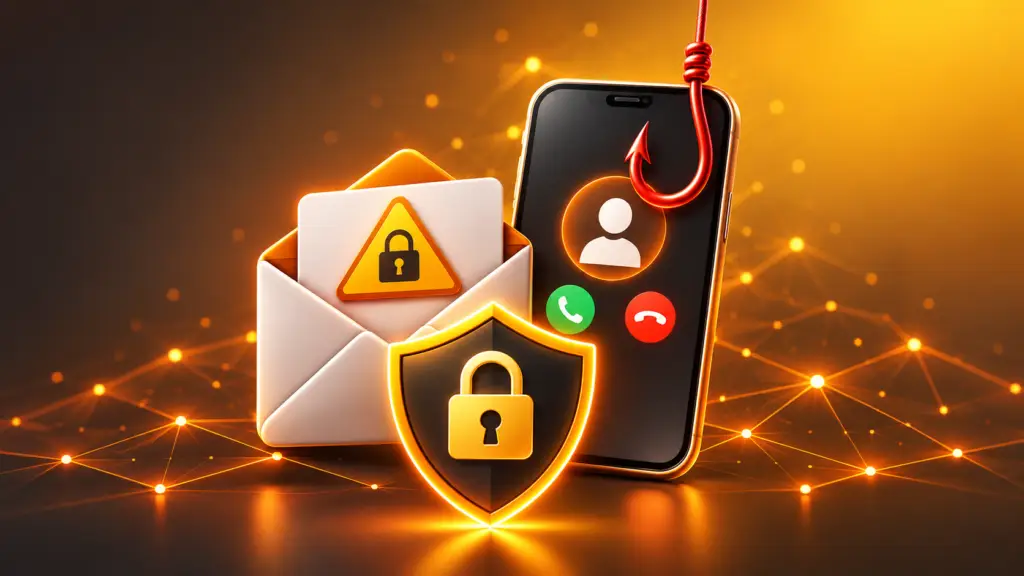
Anyone who has opened their email inbox or answered their mobile phone recently will be familiar with this: the number of fraud attempts is high. Fake parcel notifications, supposed bank messages, calls from „Microsoft Support“. The attackers operate professionally, are increasingly using AI to generate text that is deceptively authentic, and rely on creating a sense of urgency and fear.
The good news is that, with a few solid habits, you can spot and fend off most attacks. This article shows you the most common scams and what you can do about each one.
1. Phishing emails
The scam: You’ll receive an email purporting to be from your bank, a parcel delivery service, Amazon, PayPal or your employer. You’re asked to click on a link, „verify“ your identity or open an invoice. The linked page looks genuine, but it’s actually designed to steal your login details.
Typical warning signs:
- Urgent message: „Your account will be blocked in 24 hours“
- A general form of address instead of your name
- The sender’s address does not match the company’s (take a close look – often just one letter is out of place)
- Links whose destination, when you hover over them with the mouse, does not match the supposed company
- Unexpected attachments, particularly ZIP, HTML or Office files containing macros
Here’s how to protect yourself:
- Never click on links in suspicious emails. Instead, open the website yourself via the address bar or the official app.
- If you are unsure, ask the company via a known channel, not via the contact details in the email.
- Only open attachments if you are expecting them.
- Report any suspicious emails to the IT department or your service provider, and then delete them.
Tip for businesses: The best protection is to ensure that dangerous emails don’t end up in your inbox in the first place. Flying Supporter offers Hornetsecurity’s spam filter to business customers. It filters out spam, phishing and malware before they are even delivered, thereby significantly reducing the workload on staff and the IT department.
2. Phishing via text message and messaging apps (smishing)
The scam: A text message or WhatsApp message reports a „undeliverable parcel“ or a „security warning“. Another popular scam is the „grandchild scam“ via messaging apps: ‘Hi Mum, I’ve got a new number’, followed by a request for a bank transfer.
Here’s how to protect yourself:
- Do not click on any links in unexpected text messages.
- For the „Hello Mum“ scam: ring the familiar old number or ask a question that only the real person can answer.
- Block the sender and report the message.
- Only install apps from the official app stores on your smartphone.
3. Phishing calls (vishing)
The scam: Someone calls and pretends to be a bank employee, a police officer, a Microsoft technician or a member of staff from your internet service provider. Typical stories include: your account has been hacked, your computer is infected, or you need to „move your money to a safe place“. Sometimes the displayed phone number is faked (spoofed) to make it look genuine.
Here’s how to protect yourself:
- Reputable organisations never ask for passwords, PINs or TANs over the phone.
- Microsoft, banks and the police do not ring you out of the blue to try to force remote maintenance software on you or to collect money.
- If in doubt, just hang up and ring the official number yourself.
- Never install AnyDesk, TeamViewer or similar tools at the request of someone who has phoned you.
- Don’t let yourself be pressured. Anyone who urges you to hurry is suspicious.
4. Fake websites and online shops
The scam: Shops that look deceptively genuine with fantastic prices, or fake login pages that you come across via search adverts or links.
Here’s how to protect yourself:
- Check the address in the address bar carefully.
- Do some research on unfamiliar shops beforehand (reviews, legal notice, payment methods).
- Be wary of prices that seem too good to be true.
- Use secure payment methods that offer buyer protection; avoid paying in advance to people you do not know.
- Save important pages (bank, email) as bookmarks.
5. Stolen passwords and account takeovers
The scam: Following data breaches at online services, attackers automatically try out the stolen login details on other services. Anyone who uses the same password everywhere risks, in the worst-case scenario, losing everything at once.
Here’s how to protect yourself:
- A separate, long password for each service use (passphrases consisting of several words are easy to remember).
- A Password manager Use this so you don’t have to remember everything.
- Two-factor authentication (2FA) Enable this wherever possible. Authenticator apps or hardware keys are better than SMS codes.
- Where available, Passkeys use. They are significantly more resilient to traditional phishing.
- Check on websites such as the Hasso Plattner Institute (Identity Leak Checker) to see whether your email address has appeared in a data breach.
6. Malware and ransomware
The scam: Malware finds its way onto your device via attachments, downloads or manipulated adverts. Ransomware encrypts your data and demands a ransom.
Here’s how to protect yourself:
- Operating system, browser and apps keep it up to date (enable automatic updates).
- Use up-to-date antivirus software (Windows Defender, which is built into Windows, is a solid starting point).
- Regular backups According to the 3-2-1 rule: three copies, on two different types of media, one of which is stored separately from the computer (offline or in the cloud).
- Only download software from trusted sources.
- Do not enable macros in Office documents without a valid reason.
7. AI-assisted deception: deepfakes and voice clones
The scam: AI can be used to clone voices and fake videos. A „family member“ might ring up claiming to be in distress, or a „boss“ might call demanding an urgent bank transfer.
Here’s how to protect yourself:
- Agree with your family and close friends on a Code word for emergencies.
- When dealing with financial claims, always verify the information via a second, trusted source.
- The company applies the dual-control principle to payment instructions.
- Healthy scepticism: Even a voice and an image are no longer proof of authenticity.
The golden rules at a glance
- Pause: Time pressure is a scammer’s tool. Take a deep breath before you react.
- Don’t click – navigate yourself: Open websites using bookmarks or the address bar.
- Never disclose sensitive data: Passwords, PINs and TANs should not be included in emails, text messages or phone calls.
- Use the second method of verification: A call back via the official number.
- Updates, password managers, 2FA, backups: These four measures provide protection against the vast majority of attacks.
- Report it rather than ignore it: Report anything suspicious to your IT department, your service provider, the consumer advice centre or the police.
What should you do if it does happen?
- Change your passwords immediately, first with the service in question, then wherever else you’ve used the same thing.
- Notify the bank and have cards blocked if necessary.
- Disconnect the device from the network if you suspect it has malware, and seek help from experts.
- Reporting a matter to the police Please provide a report, ideally with screenshots and supporting evidence.
- Get in touch – we’re here to help
There’s no such thing as perfect security, but you don’t need to achieve it either. It’s enough to make things harder for attackers than they would be on average. If you remain vigilant even when pressed for time, never disclose your login details, install updates, use a password manager with two-factor authentication (2FA) and keep your backups up to date, you’ll be well equipped to handle the vast majority of attacks.
Please feel free to share this post with family, friends and colleagues. It is often the people in your circle who are less tech-savvy who are the main targets.
Your partner for IT security:
Flying Supporter GmbH
Do you have any questions?
We will be happy to help you.

 Deutsch
 English (UK)
 Français
 Italiano